
TL;DR
- More than ten minutes to respond: somebody reaches out for an estimate, and if it takes you longer than that, you are already losing business.
- While they wait for your paperwork: they are calling other people, and whoever gives them the quote first is most likely to get it.
- An estimate form on your website: built on your own pricing, it gives them a range almost immediately.
- The form asks for timeline and budget: you stop driving out to people who were never going to go ahead.
- You still review the estimate: you approve it before it goes out, and every request lands in your CRM.
I said this at a networking event, in the minute I had to introduce myself.
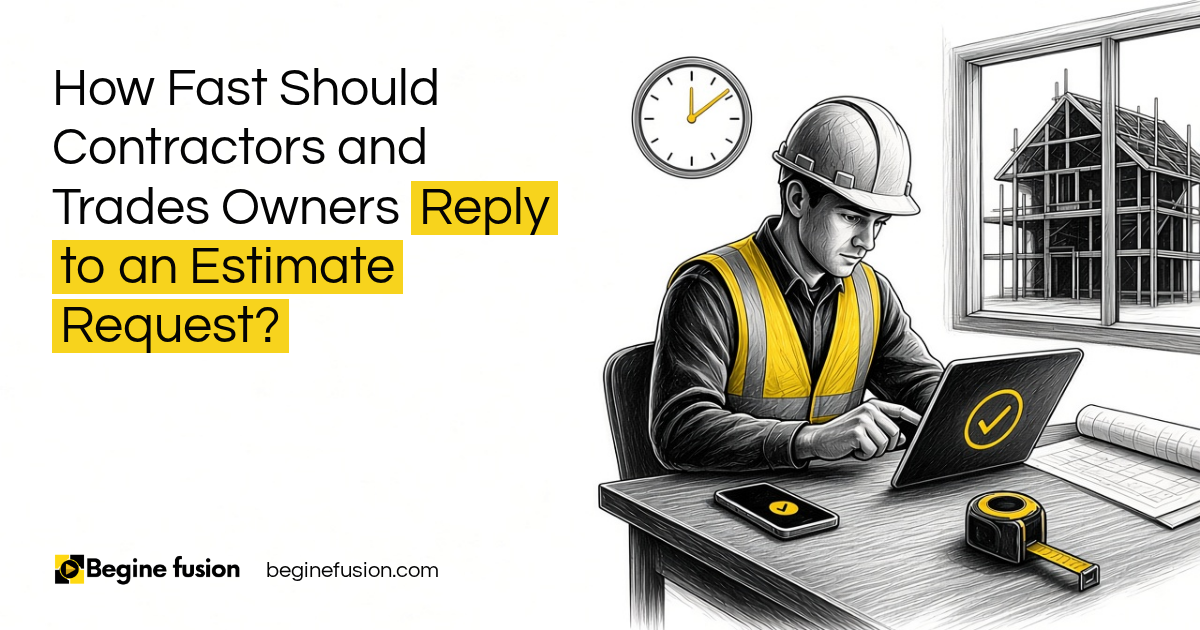
Somebody reached out to you for an estimate. If it takes you more than ten minutes to respond to that request, you are already losing business.
Why does the first estimate usually win?
Because people always want to know one thing first. What is the price?
When people are shopping for a product or a service, pricing is the biggest thing. And pricing is often hard to find. You have to jump on a call, book a meeting, do all these things before you finally get to a number.
While they are waiting for you to do your manual paperwork, they are also doing research on different websites. They are calling people. Whoever gives them the quote first is most likely to get that job.
Key point: The customer keeps shopping while your estimate is still on your desk. The first price they see sets the bar.

What does a fast estimate look like?
An estimate is giving them a range. It is going to cost you at least this, and at most this.
Somebody goes on your website, answers a few questions or picks options from a drop-down, and gets that range almost immediately. Then they have an idea, and they can decide if they want to go to the next level.
You can have a disclaimer that says this is an estimate. It is not the exact price. If they are okay with the range, you come in, look at the job properly and give them the specifics.
It runs on the pricing you already use
You already have the way you put your estimates together. Your rates, your price book, what you charge for which kind of job.
We program that into the system. So when it gives an estimate, it uses what you already charge. On the AI estimating agent we built for a construction contractor, the contractor’s rates were locked in before any application code, and the price comes from those rates.
It works on a call too
Not everybody wants to fill out a form. That is fine.
Somebody calls you and asks for an estimate. You ask them the questions, type the answers in while you are on the call, and the estimate is generated. By the time you get off that call, you are sending it, and they are like, whoa, that was fast.
The same link works however they come to you. A referral, an email, a text message. You send them the link and they get their range.
How does the form filter out people who were never going to buy?
What owners we work with complain about is tire kickers.
People come on the website and request a quote. You drive out to their location, and at the end of the day you have wasted two hours on somebody who was never serious. Maybe they did not have the budget.
So the form asks the questions that tell you who is serious:
- What kind of job it is, and what they want done.
- Their timeline.
- Their budget, if they have one in mind, with an option to say they prefer not to say.
- Photos of the space, if you want them before you go out.
Anybody who has seen your range and still wants to move forward is a serious customer. That is the person you drive out to see.
Key point: Someone who sees your price range and still asks for a site visit already knows roughly what the job costs.

If you are building the estimate form: Try Zoho Forms.
Do I still check every estimate before it goes out?
At the start, yes. That is how we set it up.
The person fills out the form, the AI builds the estimate, and it comes to you first. You see the project type, the timeline, the budget and the breakdown. If everything is okay, you approve it and it goes out to them.
Once you trust it, you can choose to have the estimate go straight to the customer, and you get a notification of who asked and what range they were sent. That is your decision, and it can wait until you have seen enough estimates come through right.
| Setting | What happens |
|---|---|
| Review first | The estimate comes to you. You approve it, then it goes to the customer. |
| Send directly | The customer gets the estimate by email. You get notified with the details and the range they saw. |
The published case study works the first way. On the estimating agent, a form and a conversation both price the job, and a person reviews the price before it is sent. Live jobs go through the agent.

What happens to the request after the estimate goes out?
The estimate request is a lead. So it gets passed to your CRM.
That way you know who asked, what they asked for and what range they saw. If you want to follow up, an email can go out the next day asking if they have reviewed the quote and want to move forward. If you want to follow up with a call, you can do that too.
Before this, follow-up depended on somebody remembering. On the published case study, the team used to drive to site, send an estimate and wait for a reply. Now every enquiry lands as one record, and follow-up sits on that record. I wrote more about that side in improving client follow-up with CRM automation.
And if you do not have a CRM yet, that comes first. I covered why in my post on putting the CRM before AI. Once estimates feed the CRM, you can also see which ones turned into customers, which ties into knowing where your last customer came from.
How the work runs differently
AI helps you deliver your service to your clients. That is its job here.
You already have the way you do estimates. We map it into the process, and the estimate goes out while the customer is still looking. Somebody asks for a price, they get a range on the spot, you check it, and you only drive out to the people who still want to go ahead.
Sometimes the change is even simpler. If you are keeping contact details in Excel sheets, moving to a CRM is a process change before AI even comes into the mix. That is the kind of thing FusionMap finds before anything is built, and FusionBuild puts in place.
Takeaways and Next Steps
If I was looking at how your business answers estimate requests, this is what I would ask:
- How long does it take today from the request to the customer seeing a number?
- Is your pricing written down well enough that a system could use it?
- Does the request ask for timeline and budget before anybody drives out?
- Does every request land in a CRM, with a follow-up on it?
If the answer to the first question is hours or days, I would start there.
Common Mistakes
1. Waiting until you can give an exact price
- Why it fails: The customer wants a range now. While you work on the exact number, they are calling other people.
- Better approach: We send a range from your own pricing first, with a clear note that it is an estimate.
2. Driving out before you know the budget
- Why it fails: Hours go into site visits for people who were never going to go ahead.
- Better approach: The form asks for timeline and budget, and the range goes out before anyone books a visit.
3. Letting the AI make up the price
- Why it fails: If the price does not come from your rates, you cannot stand behind it.
- Better approach: We program your price book in, so every estimate uses what you already charge.
4. Sending estimates nobody checked
- Why it fails: A wrong number goes to a customer under your name.
- Better approach: At the start, every estimate comes to you to approve. Sending directly is a choice you make later.
5. Letting the estimate be the end of it
- Why it fails: Nobody follows up, and the lead goes cold.
- Better approach: Every request goes into the CRM with a follow-up the next day.
Frequently asked questions
How quickly should a contractor respond to an estimate request?
As fast as you can, ideally within minutes. If it takes you more than ten minutes to respond, you are already losing business, because the customer is contacting other companies while they wait.
Can AI give a customer an accurate estimate?
It can give an accurate range when it runs on your own pricing. The rates you already charge are programmed in, and the estimate is clearly labelled as an estimate until you see the job.
Will an instant estimate form scare customers away?
Customers want to know the price first, and pricing is often hard to find. A range on the spot answers the question they came with, and the ones who still want to go ahead are serious.
How do I stop wasting site visits on people with no budget?
We ask for the timeline and budget on the estimate form, and the range goes out before anyone books a visit. The people who still want to move forward after seeing the range are the ones worth the drive.
Do I have to approve every AI estimate before it is sent?
At the start, yes, and that is how we recommend setting it up. Once you trust the estimates, you can choose to send them directly and get notified instead.
What if the customer calls instead of filling out the form?
You use the same tool on the call. You type their answers in while you talk, and the estimate is ready to send by the time you hang up.
Where should estimate requests go after they come in?
Into your CRM, as a lead. That gives you a record of who asked and what range they saw, and it lets a follow-up go out the next day.
Key terms
- Estimate
- A price range for a job, given before anybody has seen the site. It is not the final quote.
- Price book
- Your list of what you charge for each kind of work, which the estimate is built from.
- Estimate request form
- A form on your website where a customer describes the job and gets a range.
- Tire kicker
- Someone who asks for a quote with no real plan or budget to go ahead.
- CRM
- Customer relationship management software. The record of every lead and customer, with follow-up attached.
- Human review
- A person checks and approves the estimate before it is sent.
 Minimum Sales System Checklist: Before You Buy AI
 The Company Vault Checklist: One Folder Every AI Tool Reads